The Best Gesture Drawing Sites for Figure Drawing Reference (Free & Timed)
Part of How to Learn Figure Drawing: A Step-by-Step Guide for Beginners
Quick answer
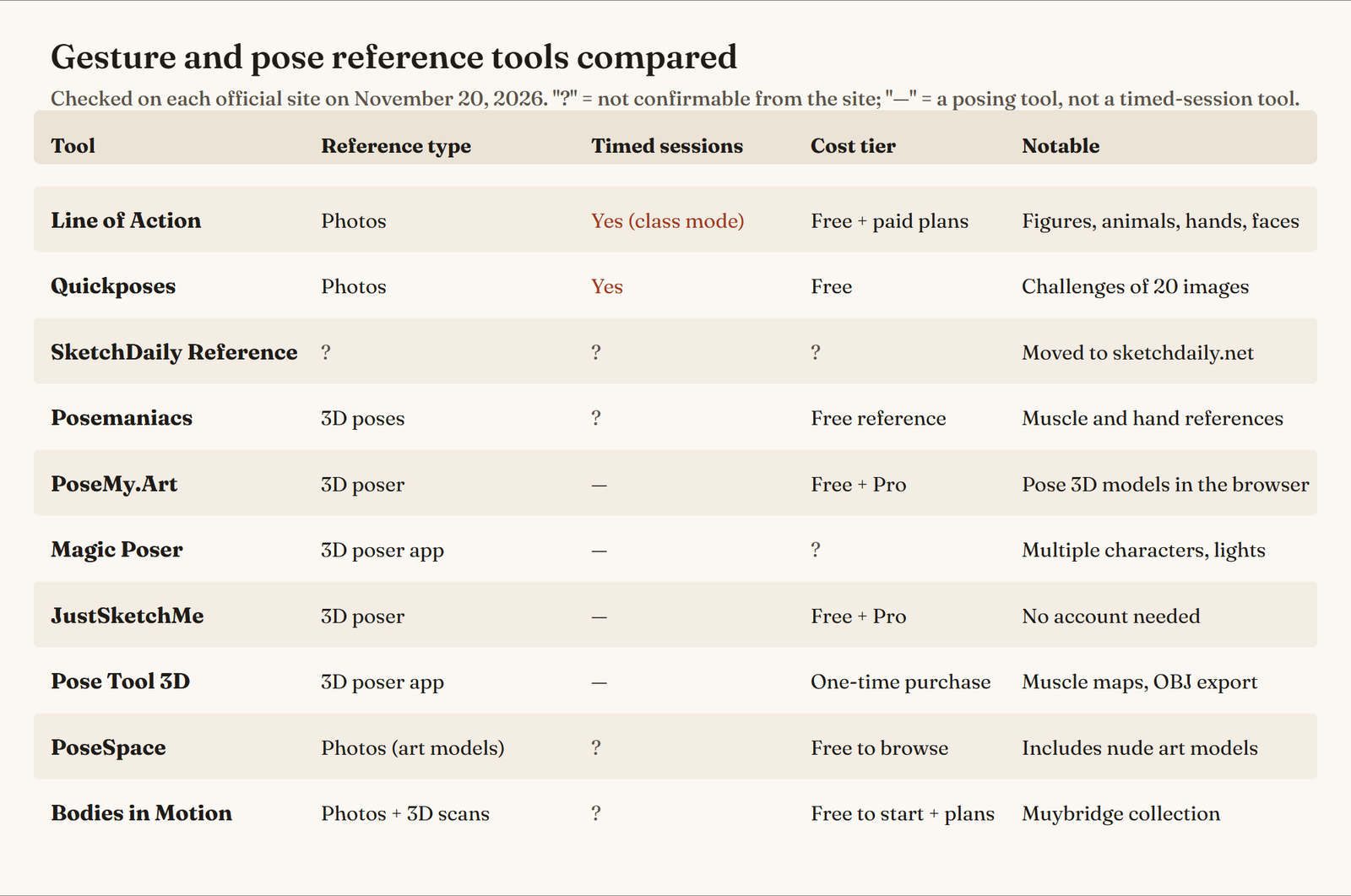
For free timed figure drawing reference, start with Line of Action or Quickposes: both show photo poses on a timer. For posing your own reference at any angle, use a 3D poser such as PoseMy.Art or JustSketchMe (both free to start). For photo libraries of real art models, PoseSpace and Bodies in Motion go deeper; PoseSpace includes nude art models.
Good figure drawing reference is the difference between practicing and guessing. The sites on this page give you poses to draw: timed photo sessions for gesture drawing, 3D posers you can turn to any angle, and libraries of real art models. We checked every one on its official site in November 2026, kept the ten we could verify, and dropped the ones that are gone or that we couldn’t confirm. Each entry says what the tool is, what stands out, whether it has a timer, its cost tier, and who it suits.
All images on this page were made for it: code-drawn diagrams and 3D renders of our own figures. There are no screenshots of the sites.
Quick picks
| Best for | Tool | Reference type | Cost tier |
|---|---|---|---|
| Timed practice with many subjects | Line of Action | Photos, timed | Free, with paid plans |
| Free timed gesture sessions | Quickposes | Photos, timed | Free |
| Posing your own figure in the browser | PoseMy.Art | 3D poser | Free tier, Pro plan |
| Quick 3D posing, no account | JustSketchMe | 3D poser | Free tier, Pro plan |
| A one-time-purchase 3D poser | Pose Tool 3D | 3D poser app | One-time purchase |
| Several characters in one scene | Magic Poser | 3D poser app | See the official site |
| Free 3D pose and muscle reference | Posemaniacs | 3D pose library | Free reference |
| Real art-model photo library | PoseSpace | Photos (includes nude models) | Free to browse, paid photos |
| Motion sequences and 3D scans | Bodies in Motion | Photos and 3D scans | Free to start, paid plans |
Line of Action
What it is: a figure drawing reference site built around timed practice tools. Its practice tools page lists separate tools for figure drawing, animals, hands and feet, faces and expressions, scenes and environments, and a test tool for basic shapes and still life.
Standout features: the range of subjects is the main draw. You can warm up with figures, then switch to hands or animals in the same session. The site also explains how to use timed practice, including a “class mode” that starts with short poses and slowly increases the time for each one, and offers a free hands-on gesture tutorial that walks you through finding the line of action in a few seconds.
Timer options: yes. Every tool is built for timed drawing, and class mode builds a session from short to long poses for you.
Cost tier: free practice tools, with paid subscriptions and pay-as-you-go options listed in the site’s store for more photos.
Best for: daily gesture practice and anyone who wants one site for figures, hands, faces and animals. Our planned Line of Action review will go into it in more depth.
Quickposes
What it is: a free image library and gesture drawing tool, according to its own description. The site was put together by an artist who wanted more varied models than the ones stuck in their head.
Standout features: three ways to practice. Timed practice shows images on a time limit you choose. Random gestures show poses with no time limit. Challenges are curated sets that always run 20 images per session. You can practice without an account; creating one is optional.
Timer options: yes. You pick the type of pose and the time limit, and the image changes when the time is up.
Cost tier: free. The site offers optional donations and a desktop app that it lists at €15.
Best for: beginners who want a simple, free, no-friction timed session. It is the closest thing on this list to opening a page and starting immediately.
SketchDaily Reference
What it is: a long-running figure drawing reference site that many artists know by name. Its old address, reference.sketchdaily.net, now redirects to sketchdaily.net, which is live under the title “SketchDaily Reference Site.”
Standout features, timer options and cost: the site loads its tools with JavaScript, so we could not confirm its current features, timer options or pricing with the plain-page check we use for every tool. We list it because it is live and widely searched, but check the site itself before relying on any feature.
Best for: artists who already use it and want to know it is still running.
Posemaniacs
What it is: a royalty-free 3D pose reference for artists. The about page describes its mission as creating free learning material for people who want to be artists.
Standout features: collections of 3D figure poses, muscle references and hand poses, sorted into everyday categories such as sitting, pointing, kicking and dancing. The site also lists paid video courses and seminars, and an integration that lets you use its poses in Clip Studio Paint (from version 3.0).
Timer options: not confirmed in our check. Use it as a pose library, or pair it with a separate timer.
Cost tier: free pose reference; the courses are paid.
Best for: studying form and muscle structure on clean 3D figures, especially when photos hide the shapes you want to understand.
PoseMy.Art
What it is: a free browser tool for posing 3D models to create your own figure drawing reference.
Standout features: the free tier includes basic models and shapes, inverse kinematics (drag a hand and the arm follows), an adjustable camera, a directional light, and export in the OpenPose format. The paid plan adds large libraries of poses, premade scenes and animations, hand poses, anime, animal and realistic models, props, and saving scenes.
Timer options: none; it is a posing tool. Set a timer yourself and draw from the poses you build.
Cost tier: free tier (“Free Forever”); the pricing page lists the Professional plan at US$15 a month or US$150 a year, and school licenses at US$3 per student per year.
Best for: extreme angles and specific poses you can’t find in photo libraries, such as a figure seen from below or a pose for a particular scene.
Magic Poser
What it is: a 3D pose reference app. Its official site describes dragging control points to pose the model, with a physics engine that moves it like a real doll.
Standout features: body types you can morph (realistic and stylized models), lighting with multiple adjustable lights, hundreds of premade poses in 11 categories, as many characters and props as you need in one scene, and export in OBJ format.
Timer options: none; it is a posing tool.
Cost tier: the site has a pricing page, but it did not load as a readable page in our check, so we can’t confirm current prices. Check the official site before you buy.
Best for: scenes with several characters, such as two figures interacting, and for testing lighting on a pose.
JustSketchMe
What it is: a character posing tool for artists, available as a web app and on iPhone, iPad, Mac, Windows and Android, according to its official site.
Standout features: you can open the web app and start posing straight away. The site says it is free to use and needs no account; a Pro tier adds more.
Timer options: none; it is a posing tool.
Cost tier: free to use, with a Pro tier.
Best for: quick reference when you need one specific pose or angle in a hurry, without signing up for anything.
Pose Tool 3D
What it is: a 3D figure posing app by Riven Phoenix, sold through alienthink.com.
Standout features: posing without joint limits, muscle maps, 14 drawing modes, and OBJ export so you can take a pose into other 3D software. It runs on iPhone, iPad, Android, Mac, Windows and Steam.
Timer options: none; it is a posing tool.
Cost tier: a one-time purchase per platform with no subscription; the site lists it from US$6.99 (US list price, which can vary by store and region).
Best for: artists who want an inexpensive, one-time-purchase poser with muscle overlays for anatomy study.
PoseSpace
Note: includes nude art models. This entry is text and a link only.
What it is: a library of photo reference of professional art models for figure drawing, painting and sculpture, according to its official site. The site asks visitors to confirm they are of legal age before showing nude content.
Standout features: real models rather than 3D figures, photographed for artists, so poses have natural weight and soft tissue. The site is free to search and browse, and offers some free photos when you sign in.
Timer options: not confirmed in our check.
Cost tier: free to browse; full access to photos is paid.
Best for: artists who want real-model reference for anatomy study and are comfortable with art nude content.
Bodies in Motion
What it is: a figure and anatomy reference library by artist Scott Eaton. Its FAQ describes sequences of high-resolution stills in the tradition of Eadweard Muybridge, plus 3D scans captured from 120 camera angles at once.
Standout features: motion sequences (you can see a movement unfold frame by frame), 3D scans you can turn, and the complete Muybridge collection. You can create a free account to start.
Timer options: not confirmed in our check.
Cost tier: free to start; the site lists paid plans for the full library.
Best for: studying how the body moves through an action, which single poses can’t show.
Sites with nude art models for anatomy study
Many artists look for the best sites to see nude models for anatomy, because clothing hides the forms you are trying to learn. Of the tools we could verify, PoseSpace explicitly includes nude art models. Some other figure reference libraries also offer nude photography behind account or age settings; check each site’s own content options.
Two rules we follow on this site: we link to art-nude reference as text only, with a clear note, and we never show images from those sites. On our own pages, all 3D figures wear a plain bodysuit. For more art-model photo sites, see our planned guide to figure drawing model reference.
Line of action reference sheet
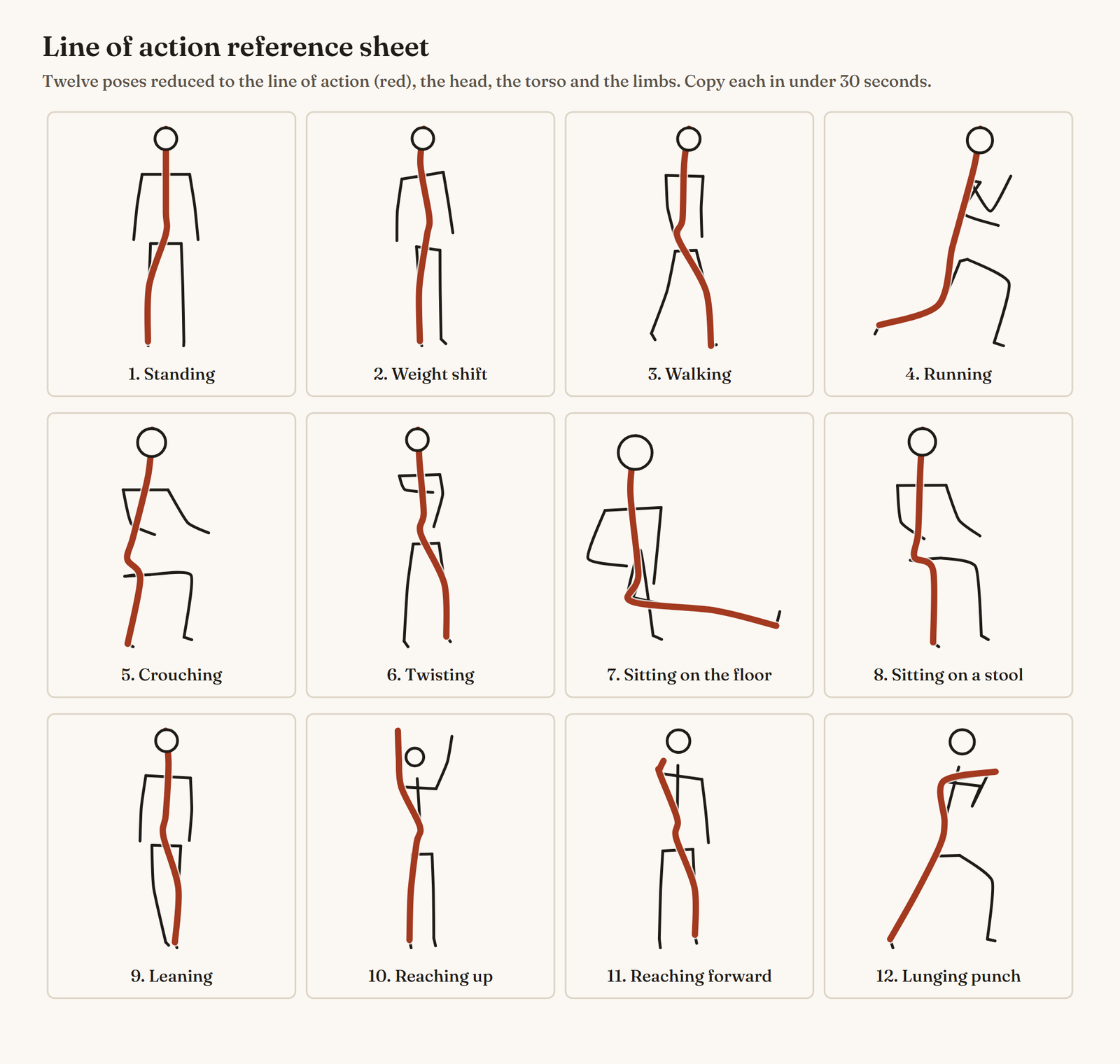
The line of action is the single curve that runs through a pose, usually from the head through the spine into the weight-bearing leg. Finding it first is the core of line of action drawing: it gives every gesture its direction before you add the limbs.
The reference sheet at the top of this page reduces twelve poses to their line of action, head, torso and limbs. It is drawn in code from the joints of our own 3D figures, so every pose is one a real body can hold. Use it as a warm-up: copy each figure in under 30 seconds, then draw the same twelve poses from memory. Our planned guide to the line of action in drawing explains the idea step by step.
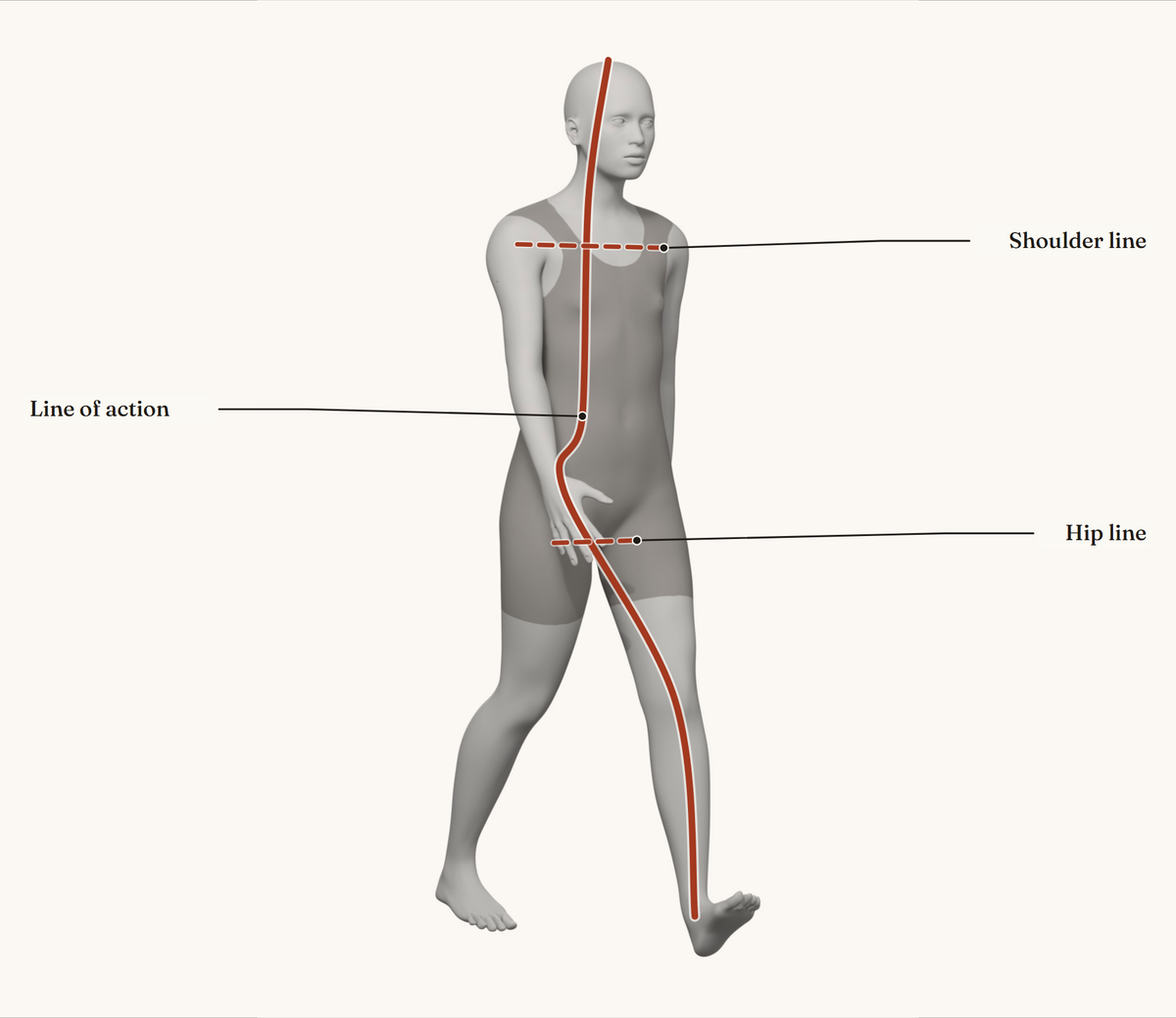
Figure drawing reference poses
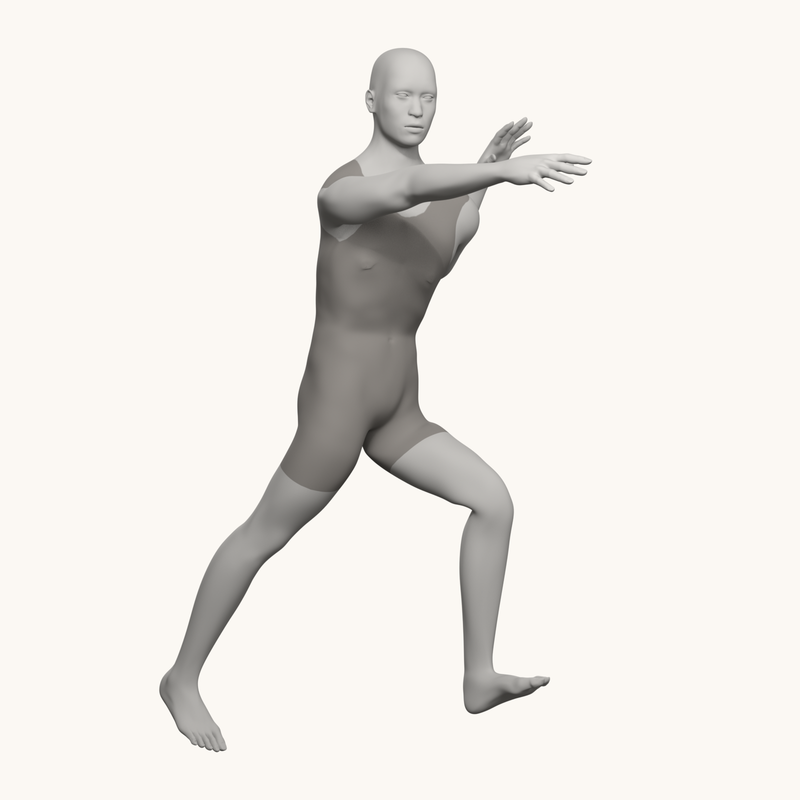
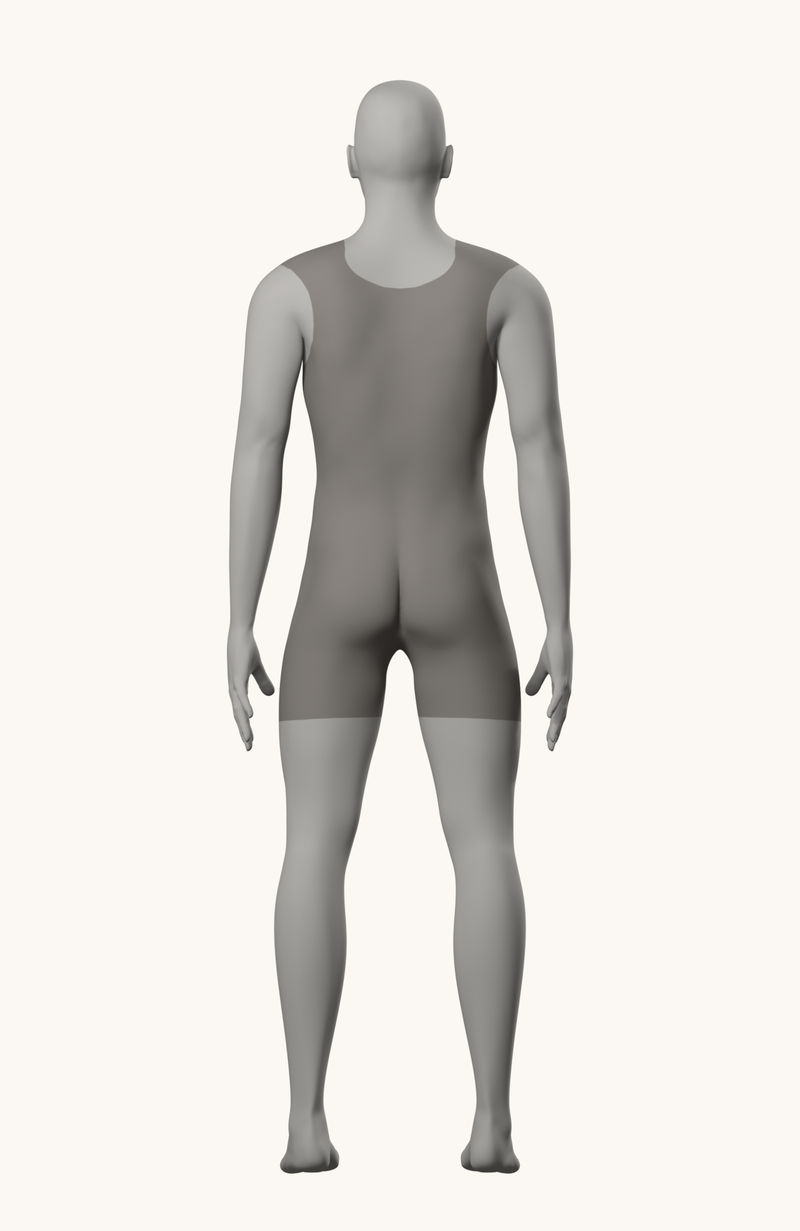
If you want to try a session right now, these 3D figures make a short starting set. They are generic MakeHuman figures we posed and rendered ourselves, in a plain gray bodysuit.
Action
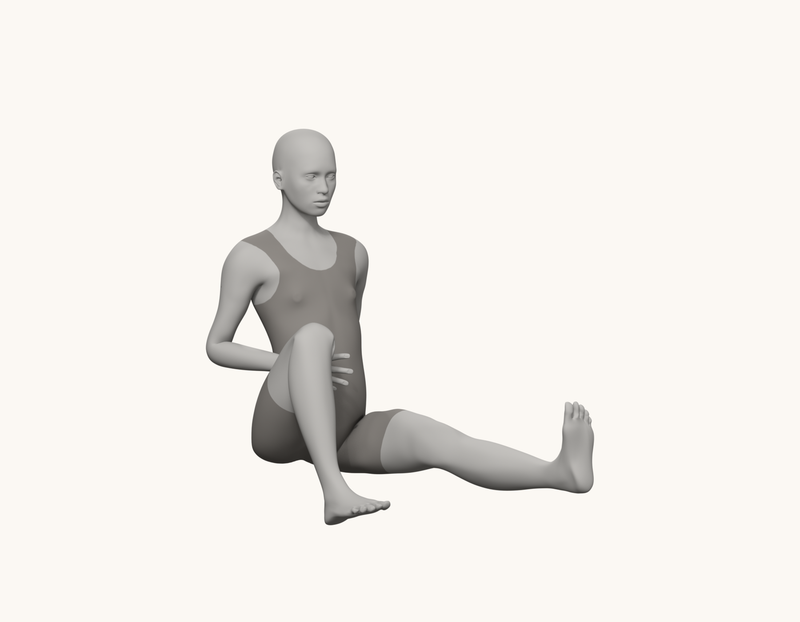
Floor pose
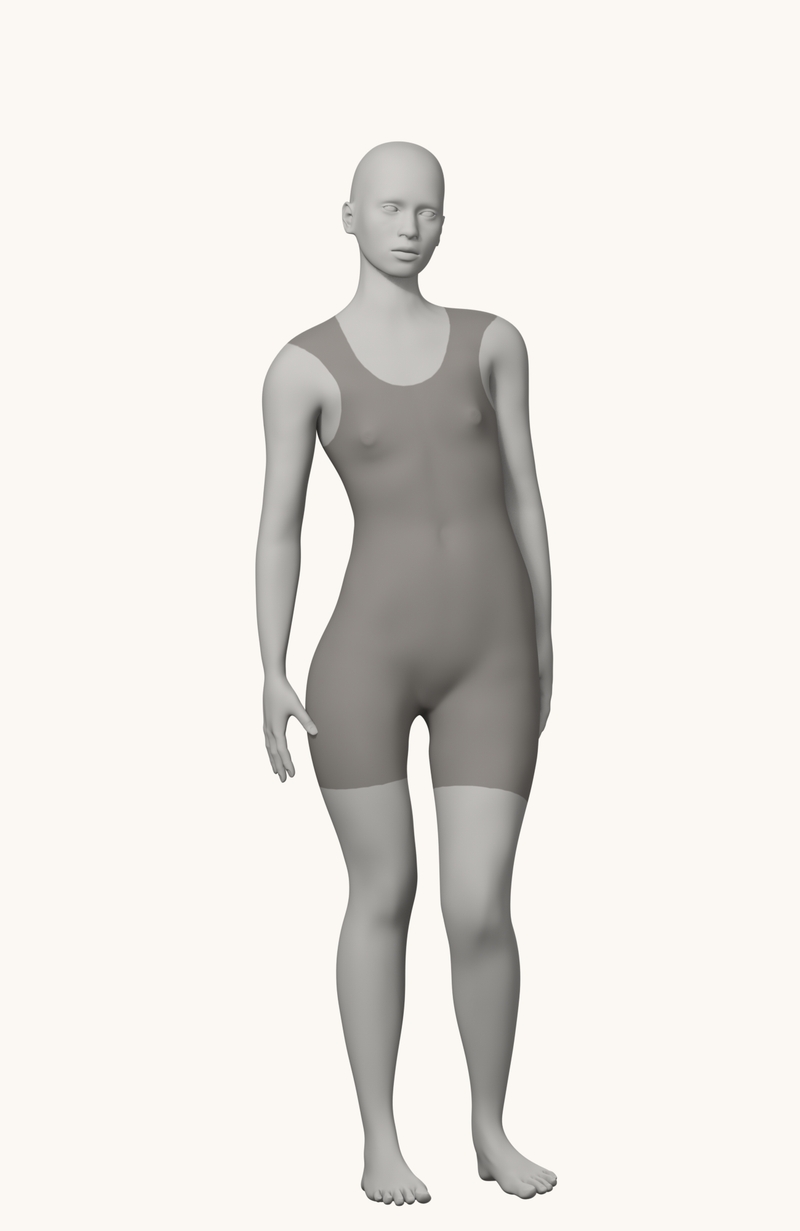
Weight shift
A neutral standing figure from three sides is useful for checking proportions before and after a gesture session:
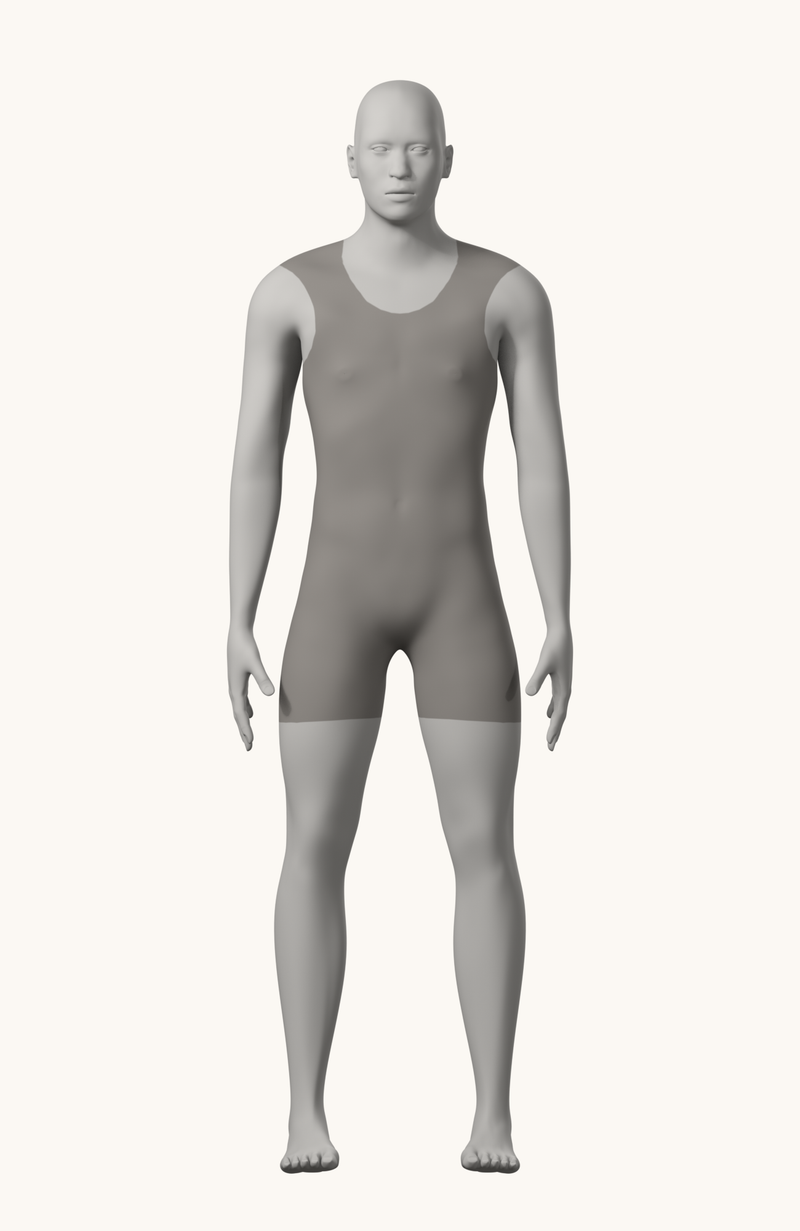
Front
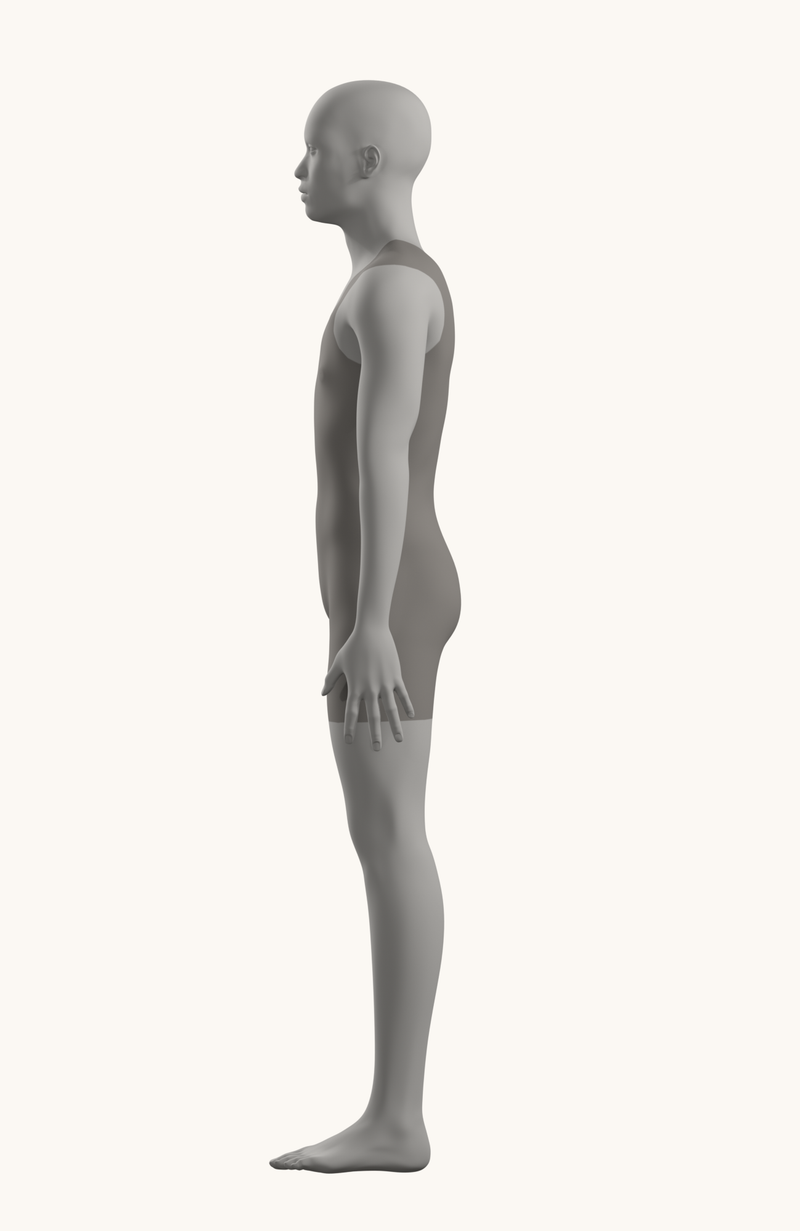
Side
Back
Eight more poses (walking, running, crouching, twisting, sitting, leaning, reaching up and an action lunge), each with a line-of-action overlay, are in our guide to how to learn figure drawing. For pose ideas by type, see our planned list of drawing poses.
What to look for in a gesture drawing site
The best site for you depends on how you practice. Before you settle on one, check these points on the site itself:
- A real timer with your own durations. For gesture work you want poses that change automatically, with a choice of 30 seconds, 1, 2 and 5 minutes or a custom time. A class-style mode that mixes durations is a bonus.
- Variety of bodies. Good figure drawing reference shows different ages, body types, sexes and clothing. Drawing the same kind of body every day teaches you that body, not the figure.
- Pose type filters. Being able to choose standing, sitting, action or clothed versus nude poses lets you aim each session at a weakness.
- Image quality and lighting. Clear, directional light shows the forms. Flat or heavily filtered photos hide them.
- Content settings. If you share a computer or practice in public, check how a site handles nude reference before you start a session.
- What it costs over time. Many sites are free to start and charge for more photos or features. Check the official pricing page, because limits change.
Photos vs 3D figures for gesture practice
Photo libraries and 3D posers train different things. Photos of real models give you natural weight, soft tissue, and the small asymmetries that make a pose feel alive, which is exactly what gesture drawing is meant to capture. 3D figures give you control: any pose, any camera angle, any light, with clean forms and no clothing in the way.
A practical split is to use timed photo tools for daily gesture sessions, and 3D posers when you need a specific pose or angle, or when you want to understand the structure behind a pose you keep getting wrong. Our guide to how to learn figure drawing explains where each kind of reference fits in a practice routine.
How we chose
There is no ranking by quality here, because we didn’t run hands-on comparisons. The quick-picks table matches tools to needs; the right one for you depends on whether you want timed photos, posable 3D figures or a real-model library.
How to run a gesture session
A gesture session moves from very short poses to longer ones. Line of Action’s practice tools page describes gesture drawings as traditionally about 30 seconds and no more than two minutes, and that short time limit is the point: it forces you to see the whole pose before the details.
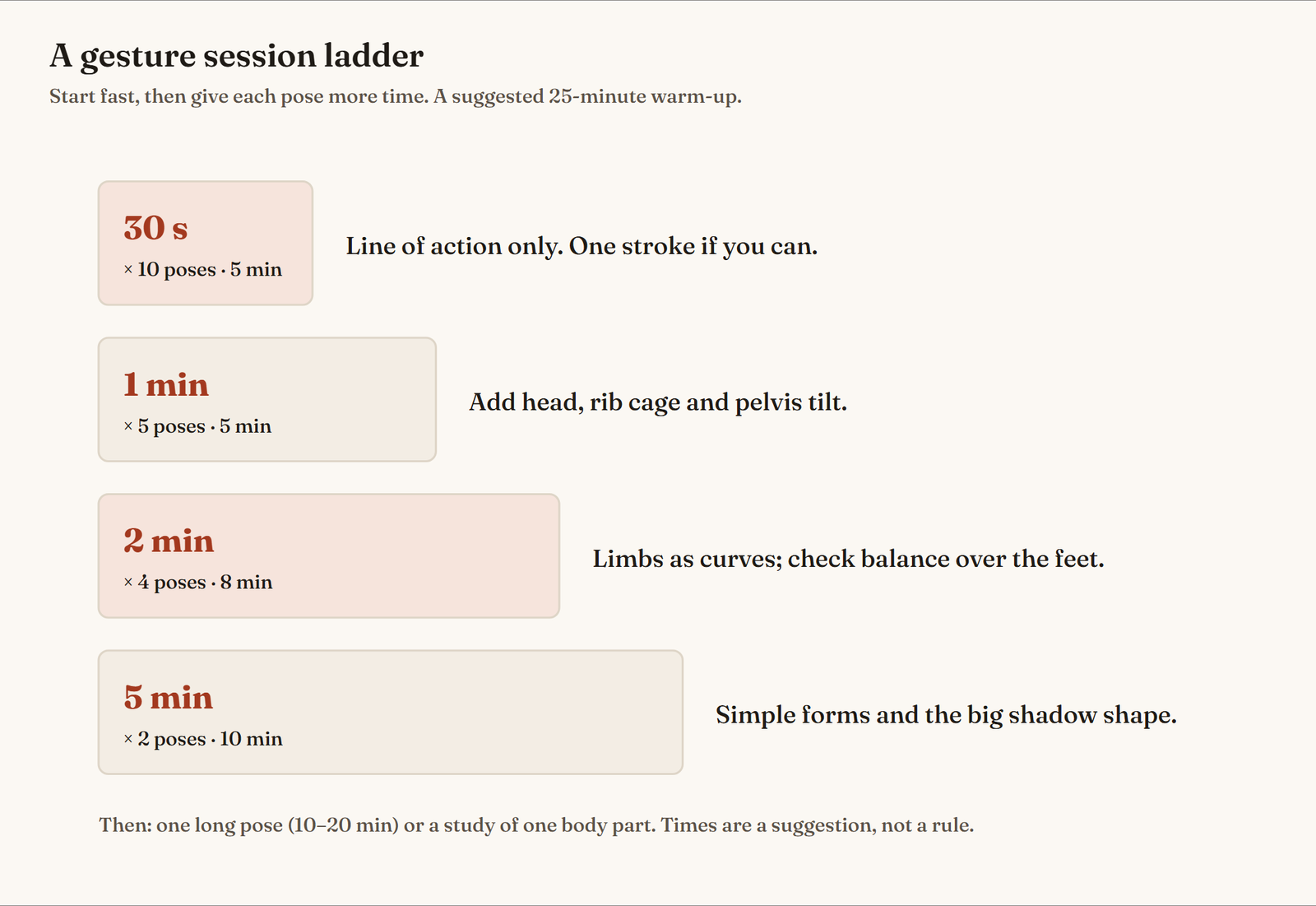
A simple session with any of the timed tools above:
- 30-second poses (ten of them): the line of action only, in one or two strokes.
- 1-minute poses (five): add the head, the rib cage and the tilt of the pelvis.
- 2-minute poses (four): add the limbs as curves and check the balance over the feet.
- 5-minute poses (two): build simple forms and the main shadow shape.
- Review: put the drawings side by side and note the one thing to improve next time.
These times are a suggestion, not a rule. If 30 seconds feels impossible, start with 1-minute poses and come back to the shorter ones later. Our planned guide to gesture drawing covers the technique itself.
Life drawing reference online
Timed photo tools are the most practical form of life drawing practice online, because you can run a session any day. They don’t replace drawing a live model, which shows depth and weight a photo flattens, so join a class or a drop-in session when you can. Our planned guide to life drawing for beginners covers classes and etiquette.
Using reference sites for anatomy practice
Gesture tools train the whole pose; anatomy practice needs slower, closer study. Use a 3D poser or a 3D pose library to look at one body part from several angles, then find the same part in a photo of a real model and see how weight and soft tissue change it. Our anatomy drawing guide has a weekly practice plan built this way.
Beyond the figure: animals, objects and scenes
Gesture practice works for more than people. Line of Action has separate timed tools for animals, hands and feet, faces, scenes and environments, and a test tool for basic shapes and still life. Drawing an animal’s line of action or the gesture of a building’s main shapes trains the same habit of seeing the whole first. Our planned guide to animal pose reference sites will list more.
Finding specific pose types
Searches for very specific poses (cute, dynamic, two characters together, looking up, extreme angles) are where 3D posers beat photo libraries. Build the pose in PoseMy.Art, JustSketchMe, Magic Poser or Pose Tool 3D, set the camera where you need it, and draw from that. For two figures interacting, Magic Poser’s multi-character scenes and PoseMy.Art’s paid premade scenes are designed for exactly that. Our planned comparisons of free 3D pose tools and pose reference apps go into the details.
Frequently asked questions
What is the best site for gesture drawing reference?
For timed photo practice, Line of Action and Quickposes are the two most direct choices: both show a pose, run a timer and move to the next image. Line of Action also covers animals, hands and faces, while Quickposes runs fixed challenges of 20 images.
Are there free figure drawing reference sites?
Yes. Quickposes is free, Line of Action has free practice tools with paid plans for more photos, PoseMy.Art and JustSketchMe have free tiers, and PoseSpace is free to browse. Costs and limits change, so check each site's own pricing page.
How long should gesture drawings take?
Gesture drawings are traditionally very short: Line of Action describes them as about 30 seconds and no more than two minutes. Many artists then move on to 5-minute poses and one longer pose in the same session.
Which sites have nude models for anatomy study?
PoseSpace offers photo reference of art models and includes nude art models behind an age confirmation. We list such sites as text and links only, with a note, and never show their images on this page.
Can you use 3D models instead of photos for figure drawing reference?
Yes, for structure and angles. 3D posers such as PoseMy.Art, JustSketchMe, Magic Poser and Pose Tool 3D let you set any pose and camera angle, which helps with foreshortening. Photos of real models are still better for weight, soft tissue and natural gesture.
Sources
- Line of Action: practice tools, Line of Action. Accessed .
- Learn how to draw: using reference tools (gesture tutorial), Line of Action. Accessed .
- Quickposes: free image library and gesture drawing tool for artists, Quickposes. Accessed .
- SketchDaily Reference Site, SketchDaily. Accessed .
- POSEMANIACS: royalty free 3D pose reference for all artists (About), Posemaniacs. Accessed .
- PoseMy.Art pricing, PoseMy.Art. Accessed .
- Magic Poser: 3D pose reference app, Magic Poser. Accessed .
- JustSketchMe: character posing for artists, JustSketchMe. Accessed .
- Pose Tool 3D: figure posing app for artists, Riven Phoenix (alienthink.com). Accessed .
- PoseSpace: pose reference models for figure drawing, PoseSpace. Accessed .
- Bodies in Motion: FAQs, Bodies in Motion (Scott Eaton). Accessed .